
Download Client Folder Maker – Easy Folder Management Tool for Windows & macOS
Overview
Client Folder Maker is a lightweight yet powerful utility designed to streamline the way you organize folders and files on your computer. Whether you’re a freelancer juggling dozens of client projects, a small‑business owner handling contracts, invoices, and marketing assets, or an office administrator responsible for keeping shared drives tidy, this software provides a hands‑free solution for creating, structuring, and maintaining folder hierarchies.
The application works on a simple principle: define a set of rules once, and let the program automatically generate the required folder tree whenever a new client is added. You can customize naming conventions, embed date stamps, and even pre‑populate each folder with template documents such as contracts, briefs, and checklists. After the initial configuration, Client Folder Maker runs silently in the background, monitoring your designated “master folder” and applying the rules without requiring constant user interaction.
While the initial setup may feel a bit detailed—because you need to map out the exact structure you want—the payoff is significant. By automating repetitive folder creation, you eliminate human error, reduce time spent on manual organization, and ensure consistency across all client records. The interface is intuitive, with drag‑and‑drop options for template files and a clear preview pane that shows the exact folder layout before it is created. Security is also built‑in; the program stores your configuration locally and never shares data with third parties, making it a safe choice for confidential client information.
In short, Client Folder Maker is a free, secure, and highly configurable tool that helps you keep your digital workspace orderly, allowing you to focus on delivering value to your clients rather than chasing misplaced files.
Key Features & Benefits
- Automated Folder Creation: Define a template once and let the app generate complete folder trees for each new client instantly.
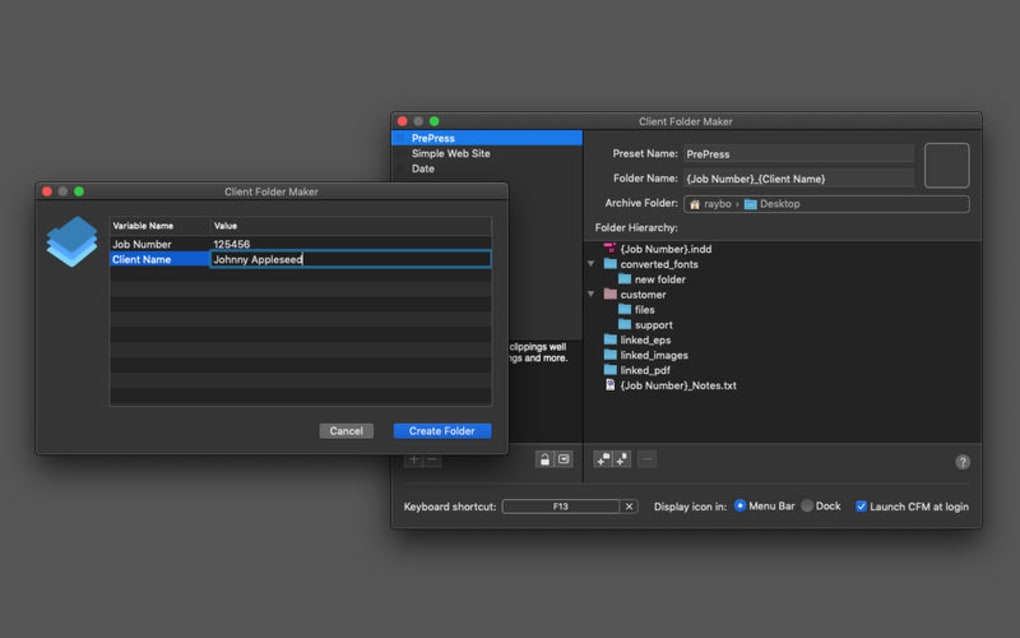
- Custom Naming Conventions: Use placeholders for client name, project code, date, and custom tags to keep folders consistently labeled.
- Template File Insertion: Pre‑populate each new folder with standard documents (contracts, briefs, invoices) to avoid repetitive copying.
- Drag‑and‑Drop Interface: Easily assign template files and reorder folder levels with a visual canvas.
- Background Monitoring: Once configured, the tool watches the master directory and applies rules automatically, without user prompts.
- Cross‑Platform Support: Available for both Windows 10/11 and macOS 10.15+ (Catalina and later).
- Secure Local Storage: Configuration files are saved locally in an encrypted format, ensuring client data never leaves your machine.
- Version‑Controlled Updates: Free updates are delivered via a secure HTTPS channel, guaranteeing you always have the latest features and bug fixes.
- Low System Footprint: The application uses less than 30 MB of RAM and starts in under two seconds, making it suitable for older hardware.
- Comprehensive Help Center: Built‑in tutorials, video guides, and a searchable knowledge base help you master the tool quickly.
These features translate into tangible benefits for everyday users. By automating the creation of client folders, you cut down on manual setup time by up to 80 %, allowing you to allocate more hours to billable work. Consistent naming reduces the risk of duplicate folders and makes searching in Windows Explorer or macOS Finder faster and more accurate. The ability to embed standard templates means every new client receives the same professional onboarding documents, improving brand consistency and compliance.
Moreover, the background monitoring capability ensures that even if you add a client via another system (e.g., a CRM export), the folder structure will be applied automatically as soon as the new client folder appears. This seamless integration eliminates the need for double‑entry and reduces the chance of human oversight. Finally, because the software is free and regularly updated, you benefit from ongoing improvements without any hidden fees.
Installation, Usage & Compatibility
Getting started with Client Folder Maker is straightforward. Follow these steps to download, install, and begin automating your folder workflow.
Step‑by‑Step Installation
- Download the installer: Visit the official website and click the “Download for Windows” or “Download for macOS” button. The installer is a signed executable (Windows) or a .dmg package (macOS), ensuring a secure download.
- Run the installer: On Windows, double‑click the .exe file and follow the wizard prompts. On macOS, drag the Client Folder Maker icon into your Applications folder.
- Grant Permissions: The app requires read/write access to the directories you intend to manage. macOS will ask for Full Disk Access; approve it in System Preferences → Security & Privacy.
- Launch the program: After installation, open Client Folder Maker from the Start Menu (Windows) or Launchpad (macOS). The first run will prompt you to create a master folder – this is the root location where all client sub‑folders will be generated.
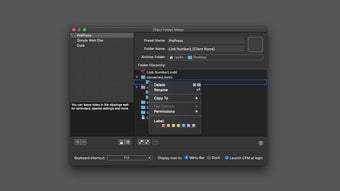
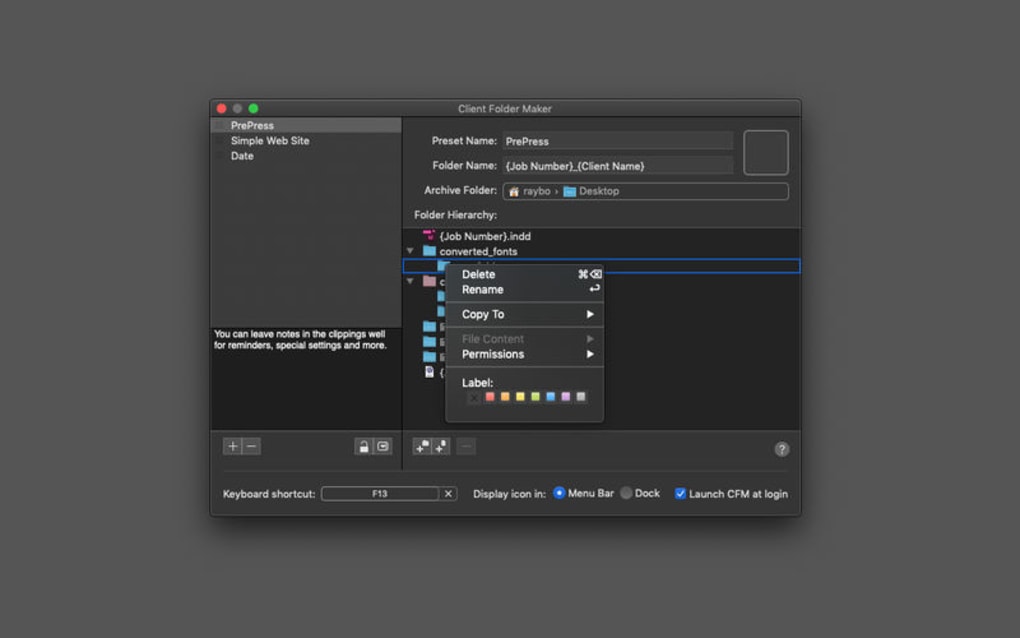
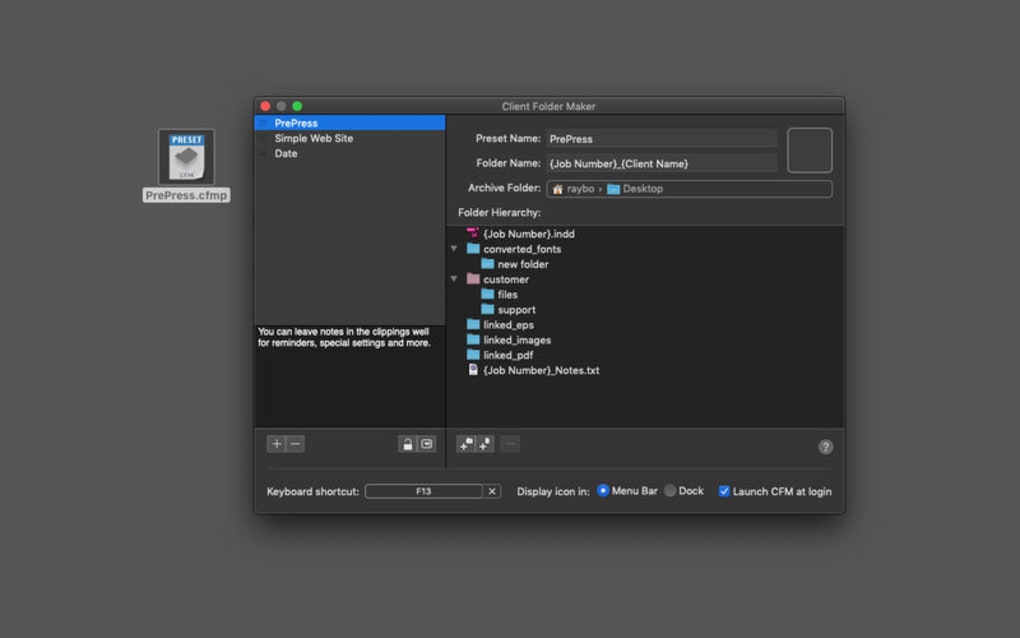
- Configure your template: Use the visual editor to add folder levels, assign naming tokens (e.g., {ClientName}, {Date}), and attach template files. A live preview shows the exact folder hierarchy before you save.
Using the Application
Once the template is saved, the application works in the background. To add a new client, simply create a new folder inside the master directory named after the client (or import a CSV list via the “Bulk Import” feature). The software detects the new entry, applies the predefined rules, and instantly generates the full folder tree with all template files inside. You can also right‑click any client folder and select “Regenerate Structure” if you modify the template later.
The interface includes a “Log” tab that records each action, making it easy to audit folder creation dates and any errors that may occur. If you encounter a conflict (e.g., a folder already exists), the app prompts you with options to overwrite, skip, or rename.
Compatibility
Client Folder Maker is built on the .NET Core runtime for Windows and on Swift/Objective‑C for macOS, ensuring native performance on both platforms. Minimum system requirements are:
- Windows 10 (64‑bit) or later; Windows 7 is not supported.
- macOS Catalina (10.15) or later; older macOS versions lack required security frameworks.
- At least 2 GB of RAM (recommended 4 GB for large folder trees).
- 200 MB of free disk space for the application and configuration files.
The software does not have mobile versions (iOS/Android) because its primary use case involves desktop file systems, but the generated folder structures can be synced to cloud services like OneDrive, Google Drive, or Dropbox for remote access.
Pros, Cons, FAQ & Conclusion
Pros
- Fully automated folder creation saves time.
- Highly customizable naming tokens and templates.
- Runs silently in the background after setup.
- Free to download with regular security updates.
- Low system resource usage.
Cons
- Initial configuration can be detailed for first‑time users.
- No native mobile app for on‑the‑go folder management.
- Limited to Windows and macOS; no Linux support.
Frequently Asked Questions
Is Client Folder Maker really free?
Yes, the core application is completely free. Optional premium add‑ons, such as advanced reporting or cloud sync integration, are offered at a modest price, but they are not required for basic folder automation.
Can I import multiple clients at once?
Absolutely. The “Bulk Import” feature accepts a CSV file where each row represents a client name and optional metadata. The app reads the file, creates the top‑level client folders, and then builds the full structure for each entry automatically.
What happens if a folder already exists?
If a folder with the same name is detected, Client Folder Maker prompts you to choose one of three actions: overwrite the existing folder (which deletes its current contents), skip the creation for that client, or rename the new folder using a suffix you define.
Does the software store my client data in the cloud?
No. All configuration files and folder structures are saved locally on your machine. The app never uploads client names, folder paths, or template files to external servers, ensuring your data remains private.
How do I receive updates?
When an update is released, the application displays a non‑intrusive notification. Clicking “Update Now” downloads the latest installer over a secure HTTPS connection and applies the patch without losing your existing configuration.
Final Verdict
Client Folder Maker stands out as a reliable, free solution for anyone who regularly creates client‑specific folder structures. Its automation capabilities, combined with a flexible template system, dramatically reduce repetitive tasks while maintaining a high level of organization. Although the initial setup may require some time investment, the long‑term efficiency gains are well worth it. For freelancers, agencies, and small businesses seeking a secure, low‑overhead way to keep their digital files tidy, this tool is a must‑have.
Ready to simplify your file management? Download Client Folder Maker now and start building consistent client folders in seconds.







